
Rendering Is Easy With IRender nXt

Seamless Integration
The IRender nXt plugin runs inside of Google SketchUp, making it easy to create and visualize renderings using already familiar functions. IRender nXt’s features include 500 fractal plants, 5,000 high quality materials, advanced material settings and more.

Expert Renderings
Exceptional realism is the key to clear communication of your designs.
With IRender nXt, you can fine-tune the lighting, transparency, reflection, highlights and backgrounds of all your images, then export the renderings at unlimited resolution and render quality.

Consistent Results
IRender nXt gives you an early image of your design rendering, so you can decide immediately if you need to make a change to the view, lighting or a material. The software’s savable settings and post-render processing features allow you to update your design without starting over.
 |
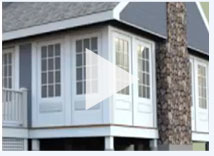
First Exterior Rendering
IRender nXt allows you to create beautiful one-click renderings without adjusting a single setting.
- A simple ‘first’ rendering with a Google 3D warehouse model.
- IRender nXt applies surface highlights, reflections and shadows using default settings.
Simple Rendering of an Object
IRender nXt’s one-click rendering feature is just as effective on objects.
- Watch IRender create a photorealistic of an object in just one-click.
- Without a single change to the model, IRender nXt creates a high-quality rendering.

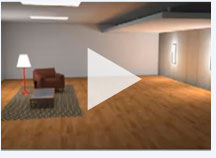
Add Depth to Your Designs with Interior Lighting
Fine-tuned lighting is the key to creating great-looking interior and nighttime scenes.
- See how to create light fixtures, adjust their settings and add them to a room.
- IRender nXt offers a wide variety of point, spot, ceiling, floor and table lights to make your renderings more realistic.
Create Realistic Highlights and Reflections
Highlights and surface reflections are the best way to add realism to your renderings.
- Make the objects of your design more realistic with IRender nXt’s powerful material editor.
- Convey reflection and sharpness on a variety of surfaces.

Download A 30-day Trial of IRender nXt
Try IRender nXt for free. Our 30-day trial version is fully
functional, and ready to render out of the box.

compatible with 32- or 64-bit Windows operating systems
Have Questions? We’re here to help
Contact us at sales@renderplus.com or call 303-713-1401